Secure Employee Support
Employees sign in securely to submit and track their own incidents and service requests. Customer roles determine who can manage support operations.
MKCS Enterprise ServiceDesk · Starter Support live
Give employees one secure place to ask for help and support teams an organized way to route, accept, resolve and document requests. Each customer has a dedicated workspace with service history, communications, and operational visibility.
Five staff seats included · $10 per additional staff seat/month · Employee requesters included at no per-seat charge
Support Capabilities
Employees sign in securely to submit and track their own incidents and service requests. Customer roles determine who can manage support operations.
Capture support needs through an employee help center and configurable service catalog, including private image and screenshot attachments.
Route requests using customer-configured service categories, assign eligible support staff, accept cases and document transfers.
Track priority, response ownership, service deadlines, missed targets and management escalations in one support workspace.
Document verified resolutions, request customer confirmation, and publish reviewed knowledge articles for self-service.
See operational queues, workload, case history, billing activity and tenant-scoped administrative audit records.
Operating Model
A simple employee portal for submitting incidents and service requests, tracking progress, adding comments and viewing published knowledge.
Accepted work, team cases, assigned actions, specialist collaboration, resolution evidence and accountable handoffs in one view.
Invite and manage staff and employees, maintain support teams, configure service catalog routing, policies and subscribed staff seats.
A separate help channel for product issues. Customer employee cases remain within their own organization’s support workspace.
Ticket Lifecycle
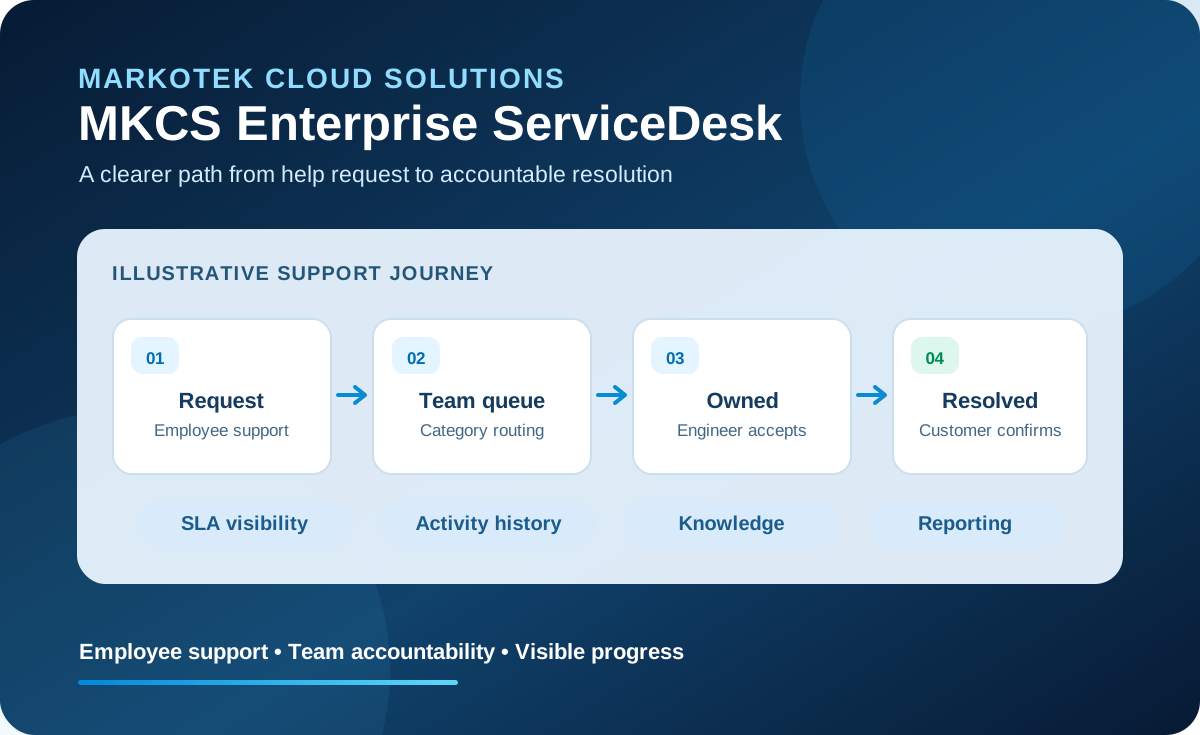
A user describes an incident or service request through their organization’s secure support portal.
Customer-configured categories direct work to the appropriate support team, or flag it for review when a route needs attention.
An eligible engineer is assigned, accepts the case, updates the next action and collaborates without losing accountability.
Support records the actions taken and asks the requester to verify the outcome before final closure.
The completed work becomes part of the case history; support teams can prepare reviewed knowledge content and track results.
Use Cases
Let employees report problems such as access, applications, devices or network connectivity and follow every update.
Offer defined employee services such as access requests, software assistance and equipment support.
Customer support staff can assess change needs, record decisions and approvals, and coordinate implementation work.
Attach screenshots to support cases and make preview or download available to authorized participants only after a clean security verdict.
About integrations: Microsoft Teams, SharePoint and custom outbound connectors are planned capabilities. The current Integrations Center saves configuration drafts; it does not yet connect or transmit ticket information.
Ready to get started?
Starter Support is available through self-service enrollment. Select your plan, complete secure payment, activate your account from the email invitation and open your customer workspace. Have a special purchasing question? Contact MarkoTek below.
Start Starter — $250/month Five staff seats included. Employee requesters are included.